Repair Management Software for Busy Shops
Repair management software keeps tickets, estimates, parts, payments, and customer updates connected, giving repair shops faster, cleaner daily control all day.
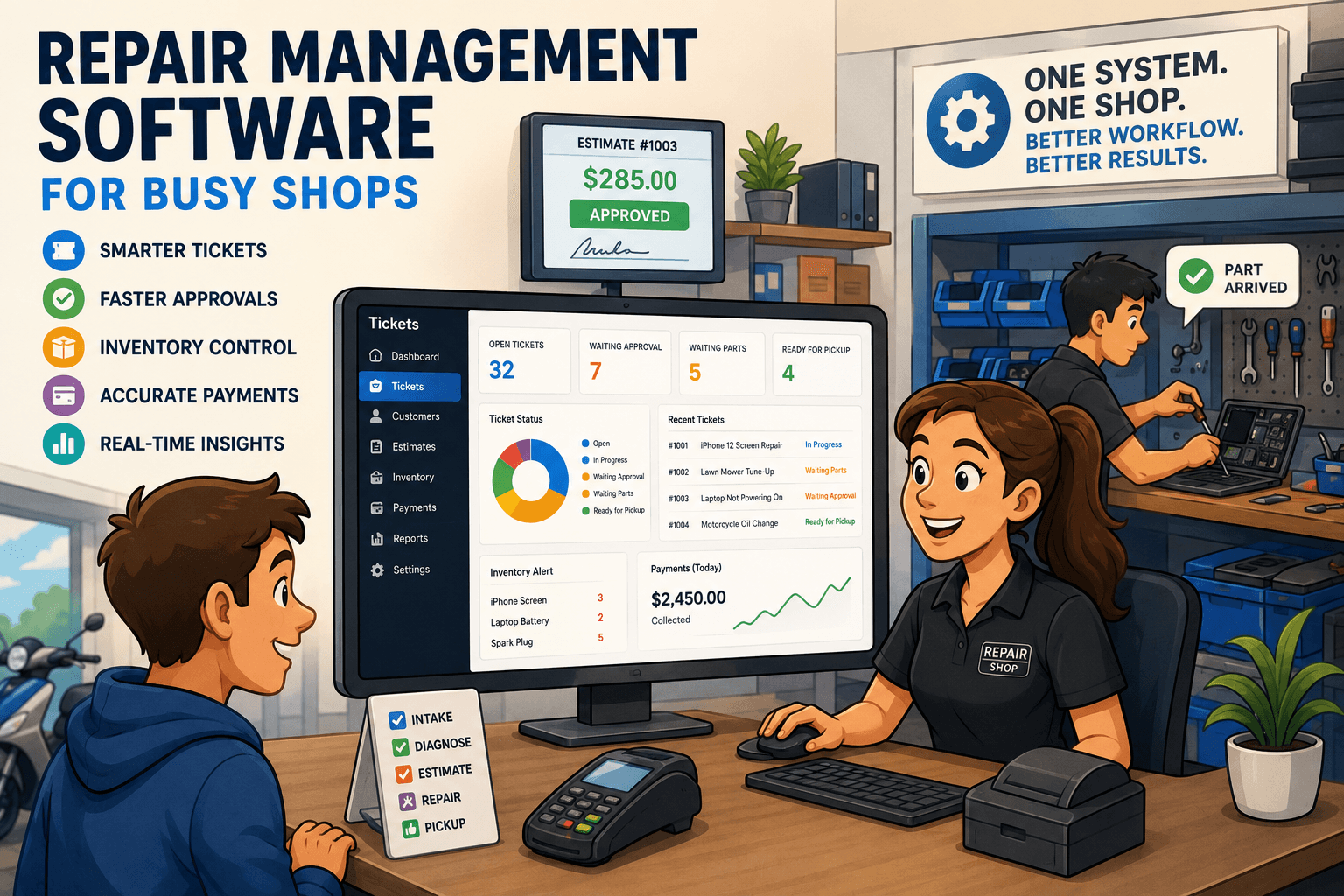
A customer is waiting at the counter for a pickup. A technician needs a part that may already be on another ticket. An estimate is still sitting unanswered. Meanwhile, yesterday’s card payments need to match the deposit report before the day gets away from you. This is where repair management software earns its place: it gives the entire shop one operating record instead of a stack of disconnected tasks.
For a repair business, the problem is rarely just creating an invoice or taking a payment. The real work happens between intake and pickup. Devices or equipment need condition notes. Technicians need clear assignments. Customers need approvals and updates. Parts need to be reserved, consumed, and reordered. When those steps live in separate apps, spreadsheets, paper tickets, and text threads, the shop loses time and accountability at every handoff.
What Repair Management Software Should Control
A repair-first system should follow the actual life of a job, not force a repair shop into a retail checkout process. That begins at the counter, where staff capture the customer, the item, its issue, its condition, and any intake documentation required before work begins.
From there, the ticket should remain the center of the workflow. The front desk needs to see its status without walking into the back. The assigned technician needs the complaint, notes, promised date, parts requirements, and service history. A manager needs to know whether the job is waiting on approval, waiting on a part, overdue, or ready for pickup.
The difference matters. A generic POS may process a sale well, but it often treats a repair like a line item. That leaves staff to build the real workflow around it with sticky notes, shared inboxes, or memory. A repair ticket is not a sale. It is a moving record that carries risk, labor, parts, customer communication, and payment status from start to finish.
Intake needs to protect the shop
Fast intake is valuable, but vague intake creates expensive disputes. A complete ticket can document existing damage, accessories left with the item, the reported issue, diagnostic terms, expected turnaround, deposits, and warranty conditions. For phones and computers, that may include lock status or visible screen damage. For small engines or motorcycles, it may include fuel level, cosmetic condition, and a description of the starting issue.
That documentation protects both sides of the transaction. Customers get clearer expectations, while staff have a reliable record if questions arise later. It also prevents the technician from starting each repair by chasing down information that should have been captured at the counter.
Estimates and approvals need a traceable path
Approval delays quietly damage turnaround time. If an estimate is ready but the customer has not approved it, the ticket should clearly show that it is waiting. Staff should be able to send the estimate, record approval or rejection, and move the ticket forward without manually searching old messages.
A good workflow also separates a diagnostic charge, a deposit, labor, and parts. That distinction makes the customer conversation clearer and prevents the front desk from improvising at checkout. When the approved scope changes, the updated estimate should be tied to the same job record, not buried in a text exchange.
The Operational Gaps That Cost Shops Money
Most shops do not set out to build a fragmented process. They add tools one at a time: a POS for payments, a spreadsheet for parts, a calendar for appointments, a messaging app for updates, and paper tickets for technicians. Each tool may work on its own. The failure happens between them.
A customer calls for an update, and the person answering cannot tell whether the part arrived. A technician installs a part, but inventory is not reduced until someone remembers later. A payment is taken, but the reconciliation report does not line up with the processor’s deposit. These are not minor administrative inconveniences. They create missed revenue, unnecessary callbacks, inventory errors, and avoidable frustration at the counter.
Repair management software should remove those handoffs by connecting the work that already happens in the shop. When a part is added to a repair, the ticket, margin, and inventory position should reflect it. When a status changes, the team should know whether a customer update is due. When payment is collected, the invoice and payment records should be ready for reconciliation.
That connection also improves accountability. Managers can see who opened a ticket, who performed the work, when status changed, and which jobs have stalled. This is especially useful as a shop grows beyond one owner who can personally remember every repair on the bench.
Build the Workflow Around the Ticket
The strongest repair operations use the ticket as the shared source of truth. Every person can work from the same job record, but each role sees what matters most.
At the front desk, the priority is speed and accuracy. Staff need customer history, intake fields, estimates, signatures or acknowledgments, payment collection, and clear pickup status. They should not have to open three systems to answer a basic question about a repair.
For technicians, the priority is execution. They need an assigned queue, issue details, internal notes, parts used, and a simple way to change job status. If technicians are writing notes on scraps of paper or verbally relaying every update, the front desk becomes a bottleneck and jobs become harder to audit.
For owners and managers, the priority is control. They need to see open-ticket volume, turnaround time, labor and parts performance, outstanding balances, inventory movement, and payment reconciliation. A report is only useful if the underlying process is consistent, which is why workflow discipline matters as much as dashboard design.
Benchry is built around this repair-specific operating model, bringing intake, tickets, estimates, inventory, communication, invoices, and payment reconciliation into one system rather than making a shop assemble the workflow itself.
Inventory Cannot Be an Afterthought
Parts are one of the easiest places for profit to disappear. A shop can be busy all week and still lose margin if parts are not tracked correctly, special orders are forgotten, or stock counts do not match reality.
The right system connects parts to the repair where they are used. That creates a cleaner record of material cost, supports more accurate pricing, and reduces the chance that the same part is promised to two customers. It should also support purchase orders so staff can see what has been ordered, what has arrived, and which open jobs are waiting on it.
Not every repair business needs the same inventory depth. A phone repair shop that stocks common screens, batteries, and charging ports needs fast point-of-use tracking. A specialty camera or instrument shop may carry fewer parts but rely more heavily on special orders and serialized components. The requirement is the same: the software must show the operational relationship between the part and the job.
Payments and Reconciliation Need to Match Reality
Taking payment is easy. Knowing that every payment, refund, deposit, and invoice matches the processor record is where many shops lose hours each month.
Repair businesses often collect money at different points in the job. A diagnostic fee may be paid at drop-off. A deposit may be collected before ordering a costly part. The remaining balance is due at pickup. The system needs to preserve that payment history against the ticket and invoice, so staff can see exactly what is owed without guesswork.
Processor reconciliation should not require manually comparing a terminal report against a spreadsheet. If the shop uses Stripe or Square, payment data needs to be organized in a way that makes deposits, refunds, and discrepancies easier to review. Cleaner reconciliation protects cash flow and gives owners more confidence in daily numbers.
Choosing Software Without Buying Another Headache
When evaluating repair management software, start with your most common ticket, not a feature checklist. Walk through a real job from drop-off to pickup. Can staff document intake properly? Can a technician receive and update the work? Can the estimate be approved and the customer informed? Can parts be tracked, payment collected, and the transaction reconciled without duplicate entry?
Also consider where your shop is headed. A one-person repair counter may not need every advanced report on day one, but it does need clean habits that will still work when ticket volume doubles. On the other hand, a system with too many fields or steps can slow down a simple operation. The best fit is detailed enough to control the work and straightforward enough that staff will use it consistently.
Before changing systems, clean up the process you want to keep. Define ticket statuses, decide who owns customer follow-up, standardize intake notes, and establish when parts are marked received or consumed. Software makes good procedures easier to enforce. It cannot fix a workflow nobody has agreed to follow.
A repair shop runs better when no one has to ask where a job stands, whether a part was used, or how much the customer still owes. Put those answers in the ticket, make them visible to the people doing the work, and let the counter spend less time chasing information and more time serving the next customer.