Computer Repair Software That Runs the Shop
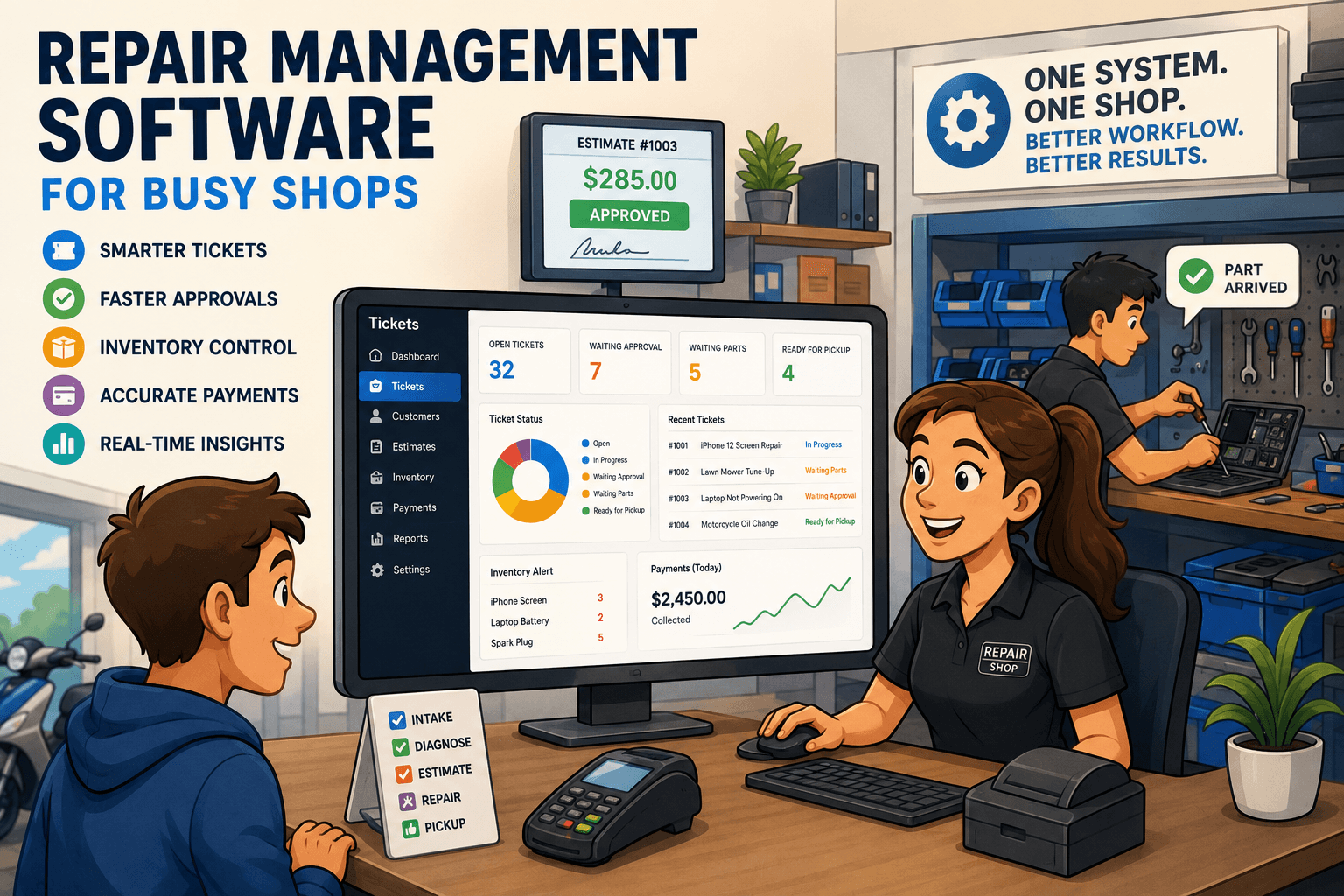
Computer repair software keeps tickets, parts, estimates, payments, and customer updates connected so your repair shop moves faster with less guesswork.

A repair shop can look busy and still be out of control. A stack of intake forms waits by the register, a technician is asking whether a part was ordered, and a customer wants an update nobody can find quickly. The right computer repair software fixes the operational gaps behind those moments. It gives the front desk, technicians, and management one current version of every repair.
For a shop handling computers, phones, business devices, cameras, or other service work, software is not just a way to print invoices. It is the system that determines whether an intake turns into a clean ticket, an approved estimate, a completed repair, a collected payment, and a customer who comes back.
What computer repair software should control
Generic point-of-sale software can ring up a charger or collect a payment. That is useful, but it does not run a repair workflow. Repair businesses need to track the device, the issue, the condition at drop-off, the technician, the parts used, the customer approval, and the final payment. If those details live in different places, the staff spends its day chasing information instead of moving repairs forward.
Good repair software starts at intake. A front-desk employee should be able to record the customer, device details, serial number or IMEI, reported problem, accessories left with the device, and visible condition. Photos, intake notes, and signed terms matter when a customer disputes pre-existing damage or asks why a repair took longer than expected.
From there, the ticket needs a clear status and owner. Is the device waiting for diagnosis, waiting on customer approval, waiting on parts, in repair, ready for pickup, or closed? Those statuses are not cosmetic. They tell the team what needs attention now and prevent a ticket from sitting untouched because everyone assumed someone else was handling it.
A repair-specific system should also connect the rest of the transaction. Estimates should go to the customer without a separate email process. Approved work should be visible to the technician. Parts used on the job should reduce inventory accurately. When the device is ready, the final invoice and payment record should already be tied to the same ticket.
The workflow problems software should eliminate
Most growing shops do not start with a broken process. They start with workable shortcuts: a paper intake form, a shared spreadsheet, text messages from technicians, and a separate payment terminal. The problem appears when ticket volume rises, more staff join, or the owner can no longer personally remember the status of every device.
The result is familiar: duplicate customer records, missing deposits, parts that appear available but were used last week, and customers calling because no one sent an update. These are not minor administrative issues. They create rework, slow turnaround, weaken trust, and make it harder to see which repairs are actually profitable.
Computer repair software should remove those handoffs by organizing the full repair cycle:
- Customer and device intake with condition notes, passwords or access instructions, and intake documentation
- Ticket assignment, technician notes, repair statuses, and internal accountability
- Estimates, approvals, deposits, and customer messages connected to the job
- Inventory usage, parts ordering, vendor purchase orders, and low-stock visibility
- Invoicing, payment collection, refunds, and payment processor reconciliation
The goal is not to force every repair into a rigid script. Diagnostics vary. Parts can be delayed. A customer may decline an estimate. A useful system gives the shop a consistent process while leaving room for the exceptions technicians face every day.
Why ticket visibility matters more than another app
A shop can have a messaging app, accounting software, a payment system, and a spreadsheet for inventory. That collection may appear less expensive at first, but the real cost is staff time and missing context. Every time an employee switches systems to answer a simple question, the counter slows down.
Consider a customer calling about a laptop repair. The front desk needs to see the diagnosis, whether the estimate was approved, whether the replacement part arrived, who is assigned to the repair, and the expected completion date. If that information is split between a technician's notes, an inbox, and a spreadsheet, the customer gets placed on hold or promised a callback.
A ticket-centered platform keeps that context together. The front desk can respond without interrupting the technician. The technician can see approved work without asking the counter. Managers can identify tickets that have been waiting too long before an unhappy customer calls.
That visibility also improves accountability. When a ticket has clear status changes, technician assignments, notes, and timestamps, management can see where work is getting delayed. Sometimes the issue is training. Sometimes it is a parts ordering bottleneck. Sometimes estimates are not being sent quickly enough. You cannot improve what your team cannot see.
Inventory must follow the repair, not sit beside it
Parts inventory is one of the easiest places for repair shops to lose margin. A part gets pulled from a shelf but never added to the ticket. A supplier order is placed but not received correctly. A commonly used component runs out during a busy week, forcing a repair to wait and the customer to wait with it.
The right system connects inventory movement to actual work. When a technician uses a battery, screen, drive, cable, or other part, it should be recorded against the repair ticket. That makes the cost of the job clearer and keeps available quantities more reliable.
Purchase orders matter here as well. Shops that regularly order parts need to know what was ordered, from whom, at what cost, and whether it has arrived. A clean receiving process prevents staff from selling or promising a part that is still in transit. It also gives managers a better view of vendor costs and restocking needs.
Not every shop needs deep inventory controls on day one. A low-volume business with a narrow range of common parts may prioritize intake and payments first. But once multiple technicians draw from the same stock, inventory needs to be part of the repair workflow rather than an afterthought.
How to choose computer repair software for your shop
Start with the workflow, not the feature checklist. Ask your staff to walk through a real repair from drop-off to pickup. Pay attention to each point where they write something down, copy information into another system, search for an answer, or ask another employee for an update. Those friction points are where software should earn its place.
Then evaluate the system at the counter. Can a new employee create a complete ticket without opening multiple windows? Can they capture a deposit, send an estimate, add a device note, and explain the ticket status to the customer? If intake is slow or confusing, the shop will feel it all day.
Next, test the technician experience. Technicians should be able to see their assigned work, update statuses, document findings, add parts, and flag a ticket that needs approval. They should not have to rely on verbal handoffs or loose paper notes to keep the job moving.
Finally, look at the back-office controls. Owners need reliable reporting on sales, open tickets, turnaround time, technician activity, parts usage, and payment activity. Payment reconciliation is especially worth examining. If the system cannot help match payments from Stripe, Square, or Clover to invoices and transactions, month-end cleanup can become another spreadsheet project.
Benchry is built around this repair-first approach, bringing intake, ticket management, estimates, inventory, customer communication, payments, and reconciliation into one operational system rather than asking shops to stitch together retail tools.
Questions to ask before you commit
A software demo should show more than a polished dashboard. Ask the provider to create a ticket from scratch, document device condition, send an estimate, apply an approval, use a part, collect a deposit, complete the repair, and reconcile the payment. That is the workflow your team will use, and it should work without workarounds.
Also ask how the platform handles real exceptions: a customer who declines the repair, a device that is not economically repairable, a part that arrives damaged, a warranty return, a refund, or a repair that changes scope after diagnosis. A system that only works for the ideal ticket will create frustration when the shop gets busy.
The best computer repair software does not make a repair business feel more complicated. It makes the next action obvious. When every ticket has a clear owner, every part has a record, and every customer update is easy to send, the shop can spend less time managing chaos and more time delivering repairs worth coming back for.