Why Repair Shops Need POS Systems
Why do repair shops need POS systems? See how repair-specific software brings tickets, parts, approvals, payments, and reporting into one workflow daily.

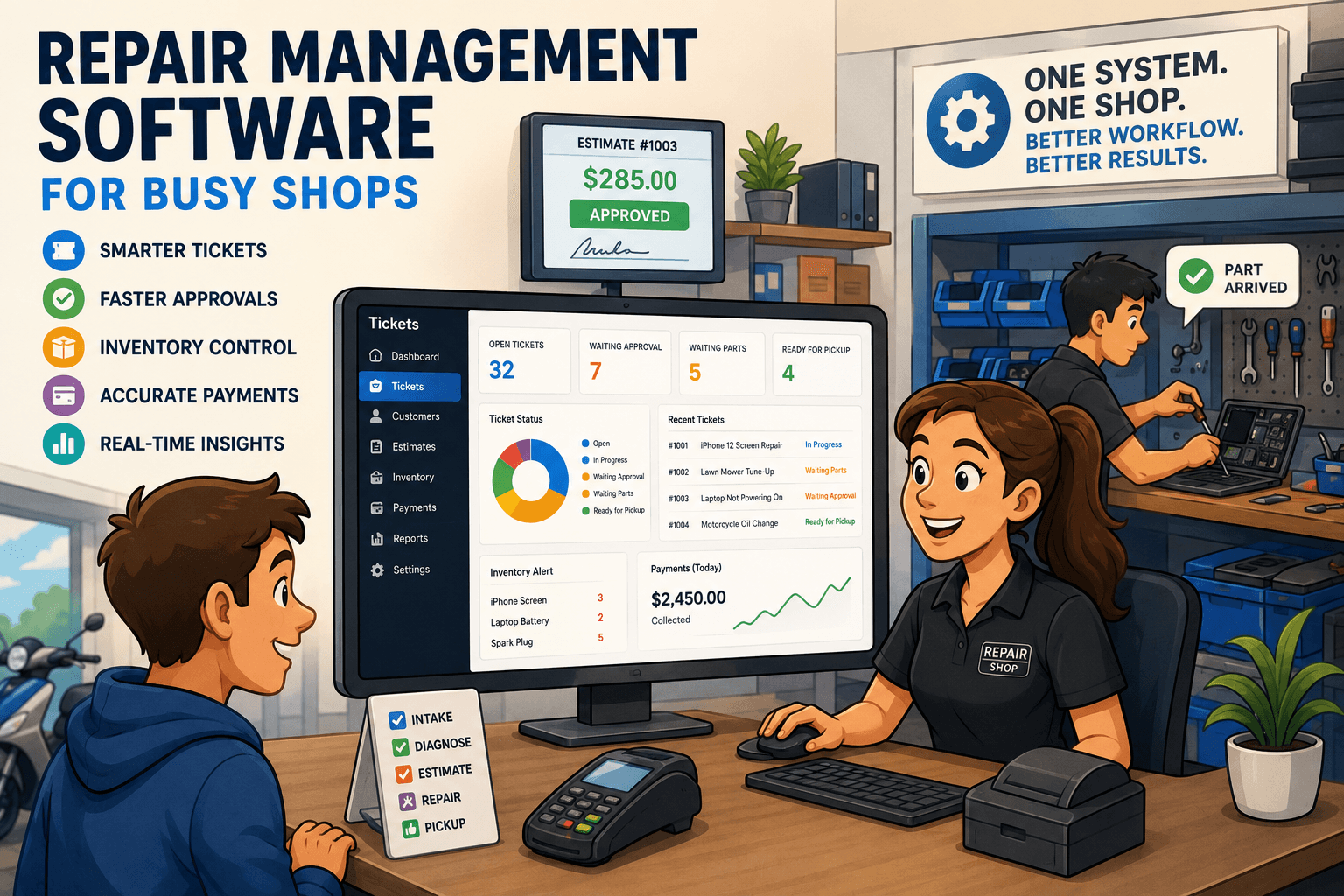
A customer drops off an iPhone with a cracked screen. Another calls for an update on a laptop diagnosis. A technician needs a part that may or may not be in stock. At the same time, the front counter is trying to collect a balance on a completed repair. Why do repair shops need POS systems? Because this is not a simple cash-register transaction. It is a chain of work that has to stay connected from intake to pickup.
A retail-first POS can ring up a sale. A repair-specific POS and management system helps the shop control the entire job: customer details, device condition, technician assignment, estimates, approvals, parts, payments, and follow-up. When those details live in paper tickets, text threads, spreadsheets, and separate payment systems, the shop loses time and visibility at every handoff.
A Repair Shop POS Connects the Whole Ticket
Every repair starts with a promise: the shop will assess the issue, communicate the cost, complete the work, and return the item in the agreed condition. Keeping that promise requires more than a receipt.
A proper repair POS creates a ticket at intake and ties every action back to it. Front-desk staff can record the customer, item, serial number or IMEI, reported issue, accessories left with the device, visible damage, and intake notes. Technicians see what was promised without relying on a verbal handoff or trying to decipher handwriting.
That record matters when the customer asks, “What did I bring in with it?” It matters when a technician discovers additional damage. It matters when the device returns months later under a repair warranty. Without a complete ticket history, staff members are forced to reconstruct the job from memory. That is slow, inconsistent, and risky.
Retail Transactions and Repair Work Are Different
A standard retail POS is built around a short cycle: scan item, take payment, print receipt. Repair shops operate on longer, less predictable cycles. A job may need diagnosis before pricing, an estimate before approval, a deposit before parts are ordered, and several status updates before final payment.
Generic POS systems can often be adapted, but adaptation creates workarounds. Staff may create a sale for a repair before they know the final amount, track technician notes somewhere else, and use a spreadsheet to monitor parts. The payment may be recorded, but the operational story behind it is scattered.
Repair-specific software treats the ticket as the center of the workflow. The sale is still important, but it is one event in the repair process, not the entire system.
Faster Intake Means Fewer Mistakes at the Counter
The counter is where small details become big problems. If intake is rushed, the shop may miss a passcode requirement, forget to document existing cosmetic damage, fail to note included accessories, or give a customer an unclear turnaround expectation.
A POS designed for repair intake gives staff a consistent process. Instead of asking each employee to remember what to capture, the system organizes the required fields and documentation in the ticket. That makes training easier and gives managers more confidence that every job is being received the same way.
It also shortens the customer interaction. Staff do not need to enter contact details in one system, write repair notes on paper, and open another screen for payment. The right information is captured once, where the team can use it later.
For busy shops, this is not just a convenience. Faster, cleaner intake keeps the line moving while reducing disputes and callbacks.
Estimates and Approvals Stop the Phone Tag
Many repair jobs cannot be priced at the moment of drop-off. A technician may need to diagnose the issue, confirm part availability, or determine whether a repair is economical. The next step is often where shops lose time: trying to reach the customer for approval.
When estimates are managed inside the POS workflow, the shop can create a clear quote tied to the specific ticket, send it to the customer, and record the decision. Staff can see whether approval is pending, approved, or declined instead of leaving notes like “called, no answer” on a paper ticket.
That visibility protects both sides. The customer knows what they are authorizing. The shop has a documented record before ordering parts or starting additional work. It also prevents the technician from waiting on a decision that the front desk has already received but has not communicated.
A good workflow should make the next action obvious: diagnose, send estimate, wait for approval, order part, begin repair, notify for pickup. When every ticket has a visible status, fewer jobs stall in the background.
Parts Tracking Protects Margin and Turnaround Time
Parts are where a repair shop can lose profit quietly. A part gets used but never added to the ticket. A staff member orders something already on the shelf. Inventory says an item is available, but it was consumed on a job two days ago. The customer has been promised a repair, but the needed component is actually backordered.
A repair POS connects parts consumption to the repair ticket. When a technician uses a screen, battery, cable, bearing, or replacement component, the cost and sale item can be associated with the job. That gives the shop a clearer view of what the repair actually earned.
Inventory control is not about counting every low-cost item with military precision. For some shops, detailed tracking of high-value or fast-moving parts delivers the biggest return. For others, purchase orders and reorder visibility are essential because supplier lead times drive their turnaround promises.
The key is that parts, purchasing, and tickets should not be separate conversations. If the front desk tells a customer a part has arrived, the system should support that answer with real inventory information.
Why Do Repair Shops Need POS Visibility for Staff?
A growing repair shop cannot run on one person knowing where everything is. Owners need to know which tickets are waiting on approval, which jobs are overdue, which repairs are ready for pickup, and which invoices still have balances. Front-desk staff need current answers without interrupting technicians. Technicians need instructions, notes, and assigned work without digging through stacks of paper.
A centralized POS gives each role a shared view of the same job. It creates accountability because ticket changes, technician assignments, payment activity, and status updates are documented rather than passed around informally.
This does not mean every shop needs a complicated enterprise system. A two-person phone repair counter and a multi-location equipment service business have different needs. But both benefit from a single source of truth. The difference is how much reporting, role control, inventory depth, and workflow configuration they need.
The operational questions a shop should be able to answer quickly include:
- Which repairs are waiting on customer approval?
- Which completed jobs are still waiting for pickup or payment?
- What parts were consumed on a specific ticket?
- Who worked on the repair and when was its status changed?
- How much revenue came from repairs versus product sales?
If those answers require searching messages, opening several browser tabs, or asking the owner, the shop does not have enough control.
Payments and Reconciliation Need to Match the Work
Taking payment is easy. Confirming that the payment, invoice, deposit, refund, and processor payout all match is where operational gaps show up.
Repair businesses often collect money at different points. A customer may pay a diagnostic fee at drop-off, approve an estimate later, pay a deposit for a special-order part, and settle the remaining balance at pickup. If those transactions are disconnected from the ticket, staff can struggle to explain what has been paid and what remains due.
A repair POS should keep payments and invoices connected to the work order. It should also reduce the gap between what the shop recorded and what appears in Stripe or Square. Cleaner reconciliation means fewer end-of-day surprises, less manual matching, and better confidence in reported revenue.
That financial clarity is especially valuable when owners are deciding whether a repair category is profitable. Revenue alone does not tell the full story. The shop needs to see the labor, parts, discounts, refunds, and payment activity behind the number.
Better Customer Updates Build Trust Without More Calls
Customers usually do not expect a repair to be instant. They do expect to know what is happening. Silence creates calls. Calls pull the front desk away from customers standing in front of them.
Ticket-based messaging reduces that pressure. The shop can send updates when a diagnosis is complete, an estimate is ready, a part arrives, or a repair is finished. The message is tied to the right customer and ticket, so staff are not scrolling through personal phones or guessing whether someone was notified.
Clear communication also improves pickup. A customer who receives a ready-for-pickup notice with an outstanding balance is more likely to arrive prepared to close the transaction. That means fewer completed repairs sitting on the shelf and less cash tied up in finished work.
Choose a POS Built for How Repairs Actually Move
The best POS for a repair shop is not necessarily the one with the longest feature list. It is the one that reduces handoffs in the shop’s real workflow. Before choosing a system, owners should walk through a typical repair from drop-off to pickup and identify where information gets lost, where staff duplicate work, and where money becomes difficult to reconcile.
Benchry is built around that repair workflow, bringing tickets, estimates, technician activity, inventory, customer communication, invoices, and payment reconciliation into one operating system. The result is not simply a faster checkout. It is a shop where the next step is visible, the customer history is available, and the numbers are easier to trust.
A repair POS earns its place when it gives the team more time to complete good work and fewer reasons to ask, “Where is that ticket?”