Repair Shop CRM: What Actually Matters
A repair shop CRM should do more than store contacts. See what matters for tickets, approvals, parts, payments, and shop control daily.

Most shops do not realize they have a customer management problem until the front counter gets buried. A repair shop CRM looks fine on paper if it stores names, numbers, and a few notes. But once you are juggling intake photos, approval status, technician assignments, parts delays, deposits, pickup reminders, and payment matching, a basic CRM stops being useful.
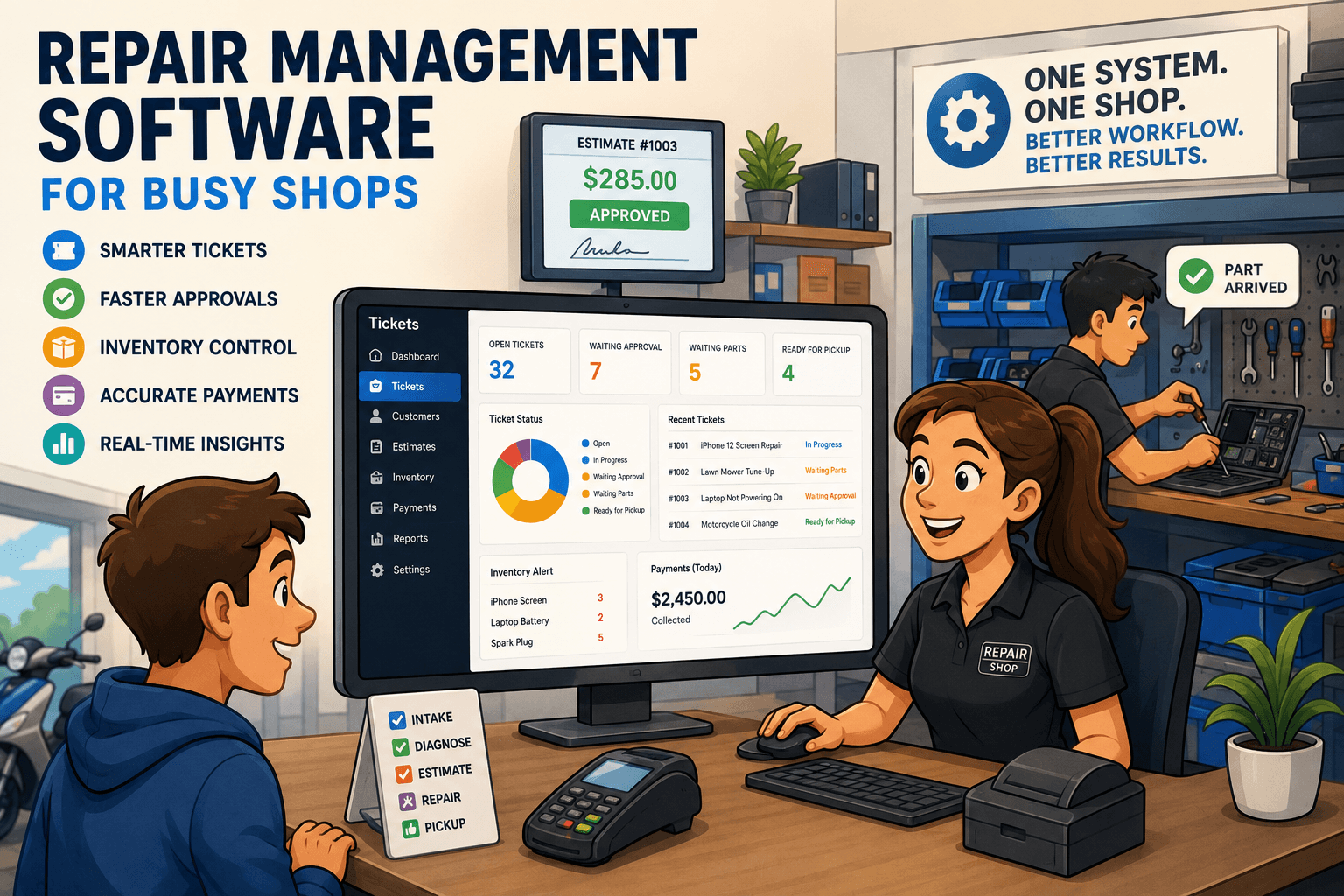
For a repair business, customer relationships are tied to work in progress. That means the CRM cannot sit off to the side as a sales database. It has to live inside the ticket workflow, because that is where the real customer experience happens. If your staff is still bouncing between a POS, text app, spreadsheet, inbox, and handwritten notes, the issue is not just inconvenience. It is lost time, missed approvals, and weaker control over revenue.
What a repair shop CRM should actually handle
A repair shop CRM should connect the customer record to the full service history. That includes past devices or equipment, previous repairs, warranty notes, estimates, invoices, messages, and payment activity. When a repeat customer calls, the front desk should not need to ask the same intake questions all over again or hunt through old tickets to figure out what happened last time.
This matters more in repair than in standard retail because the sale is not the whole story. The repair itself is the product. If a customer comes back with the same phone, laptop, camera, mower, or business machine, your team needs context immediately. Was there liquid damage last time? Was a specific part already replaced? Is there an active warranty? Did the customer decline another recommended fix? A general-purpose CRM might store the contact. A repair-focused CRM should store the operating history.
That difference affects speed at the counter and trust with the customer. When your staff can pull up a clear record and speak with confidence, the shop feels organized. When they cannot, every interaction takes longer and sounds less credible.
Why generic CRM tools usually fall short in repair
A lot of software can claim CRM functionality. The problem is that most of it was built for pipelines, lead stages, or general retail checkouts. Repair shops need something else.
A customer record in this industry is tied to serialized items, condition at intake, issue descriptions, technician notes, estimate approval, parts usage, labor status, deposits, and pickup readiness. None of that fits neatly into a generic contact management system without custom workarounds. And workarounds are where shops start creating side processes that eventually break.
The usual pattern is familiar. Customer details live in one system. Ticket updates live in another. Messaging happens through a phone or separate app. Parts tracking sits in a spreadsheet. Payments get closed out in the POS. Then someone has to reconcile all of it later. That may work at low volume, but once ticket flow picks up, small gaps turn into real cost.
You start seeing duplicate entries, missing status updates, technicians waiting on approvals that never got sent, and customers calling because they have no idea what is happening. A CRM that does not understand repair workflow creates more admin instead of less.
The core workflows a repair shop CRM needs
The best way to judge a repair shop CRM is to follow one job from drop-off to pickup. If the system supports that flow cleanly, it is probably built for your shop. If it starts breaking apart halfway through, it is probably retail-first software trying to stretch.
Intake has to be fast and specific
Front-desk intake should capture the customer, the item, the problem, condition notes, accessories left behind, photos if needed, and any passcode or authorization details your process requires. It should also let staff collect a deposit, print or send documentation, and set clear next steps without re-entering information later.
This is where many shops lose time. If intake is slow, the line builds. If intake is sloppy, disputes show up later. A real repair CRM supports both speed and accountability.
Approvals should not depend on phone tag
Estimates and approvals are one of the biggest delays in a repair business. If the system cannot send a quote clearly, track whether the customer approved it, and tie that approval back to the ticket, the front desk ends up chasing people manually.
That is bad for turnaround time and bad for labor utilization. Technicians either wait or move on, and the job sits. A strong system makes approvals visible so nobody has to guess whether work is cleared to continue.
Technician work needs structure
Technicians need more than a note field. They need assigned work, status visibility, repair notes, parts requirements, and a way to document what was done. Managers need to see where jobs are stalled and why.
This is where a repair-specific platform earns its value. A CRM in this setting is not just for customer relationships. It becomes the operating record that ties customer communication to actual shop execution.
Parts and inventory cannot be separate from the ticket
If a part gets consumed on a repair, that activity should be tied directly to the job. Otherwise, you get messy stock counts, weak margin visibility, and confusion about whether the part was ordered, received, reserved, or installed.
Some shops can get away with a lightweight inventory process. Others, especially those with higher ticket volume or broader device categories, need tighter control. The right fit depends on your complexity. But even smaller shops benefit when parts usage is recorded at the ticket level instead of being tracked after the fact.
Payment and reconciliation need to close the loop
A lot of systems handle payment collection. Fewer handle the cleanup that happens afterward. In repair, you may take a diagnostic fee, then a deposit, then a final payment on pickup. You may have voids, refunds, or split tenders. If those transactions do not line up clearly with the ticket and your processor reporting, reconciliation turns into a manual chore.
That is not just an accounting annoyance. It affects confidence in daily revenue and exposes gaps that are hard to investigate later.
How a repair shop CRM improves customer communication
Most repair customers are not asking for constant conversation. They want clear updates without having to call twice. That is a big difference.
A good repair shop CRM should help the shop communicate at the moments that matter: intake confirmation, estimate ready, approval request, status change, pickup notice, and warranty follow-up when relevant. The benefit is not just convenience for the customer. It also reduces incoming calls that eat up front-desk time.
There is a practical balance here. Too much automation can feel generic or create noise. Too little creates uncertainty and more manual follow-up. The sweet spot is timely communication tied to actual ticket milestones, not random marketing-style messages.
Choosing the right system for your shop
Not every shop needs the exact same setup. A single-location phone repair business and a multi-category service operation with parts purchasing and technician specialization will evaluate software differently. But the decision should still come back to workflow depth.
Ask simple operational questions. Can the system track device history and repeat issues? Can it handle estimates, approvals, deposits, and pickup without staff using side tools? Can technicians and front-desk staff work from the same record? Can managers see job status, parts usage, and payment outcomes without exporting everything to spreadsheets?
If the answer is no on those points, the CRM may still be useful in a narrow sense, but it is not likely to give you real shop control.
This is where a platform like Benchry makes sense for service-based repair environments. It is built around the actual flow of a repair ticket, not around retail checkout with a few add-ons. That matters when you want fewer handoffs, cleaner records, and better visibility across intake, service, parts, and payment.
What changes when the CRM is built for repair
The biggest shift is not technical. It is operational. Staff stop asking where information lives because it lives in one process. The front desk can answer questions faster. Technicians know what is approved. Managers can see bottlenecks before customers complain. Payment records are easier to trust. Repeat customers feel recognized instead of restarted.
That does not mean software fixes every shop problem by itself. Weak process is still weak process. But the right repair shop CRM makes good process easier to enforce and bad process harder to hide.
If you are evaluating systems, ignore broad software claims and follow the ticket. Watch what happens from intake to estimate to repair to pickup to reconciliation. That is where the truth shows up, and that is where better control starts.